How to Compare CAD Conversion Quotes: The Scope Factors That Change the Price


Table of Contents
Seven Scope Factors That Change a CAD Conversion QuoteQuote Comparison Checklist
What the Quoting Process Tells You About the Vendor
Scope First, Then Compare Prices
FAQs
Received two or three different quotes for the same CAD conversion job? You may be wondering why the prices differ and how to compare the proposals before choosing a vendor.
When comparing the quotes, it’s not the cheapest one that represents the best value. In many cases, the lowest quote covers a narrower scope of work or leaves important requirements undefined. In other words, different quotations are the result of different vendor assumptions due to an unclear scope of work.
This guide explains the seven factors that influence CAD conversion costs, shows you how to compare vendor quotes using a practical checklist, and helps you compare vendor proposals, clarify assumptions, and make an informed decision.
Seven Scope Factors That Change a CAD Conversion Quote
Without discussing these seven factors, it’s difficult to determine what each quote includes and whether the vendors are pricing the same scope of work.
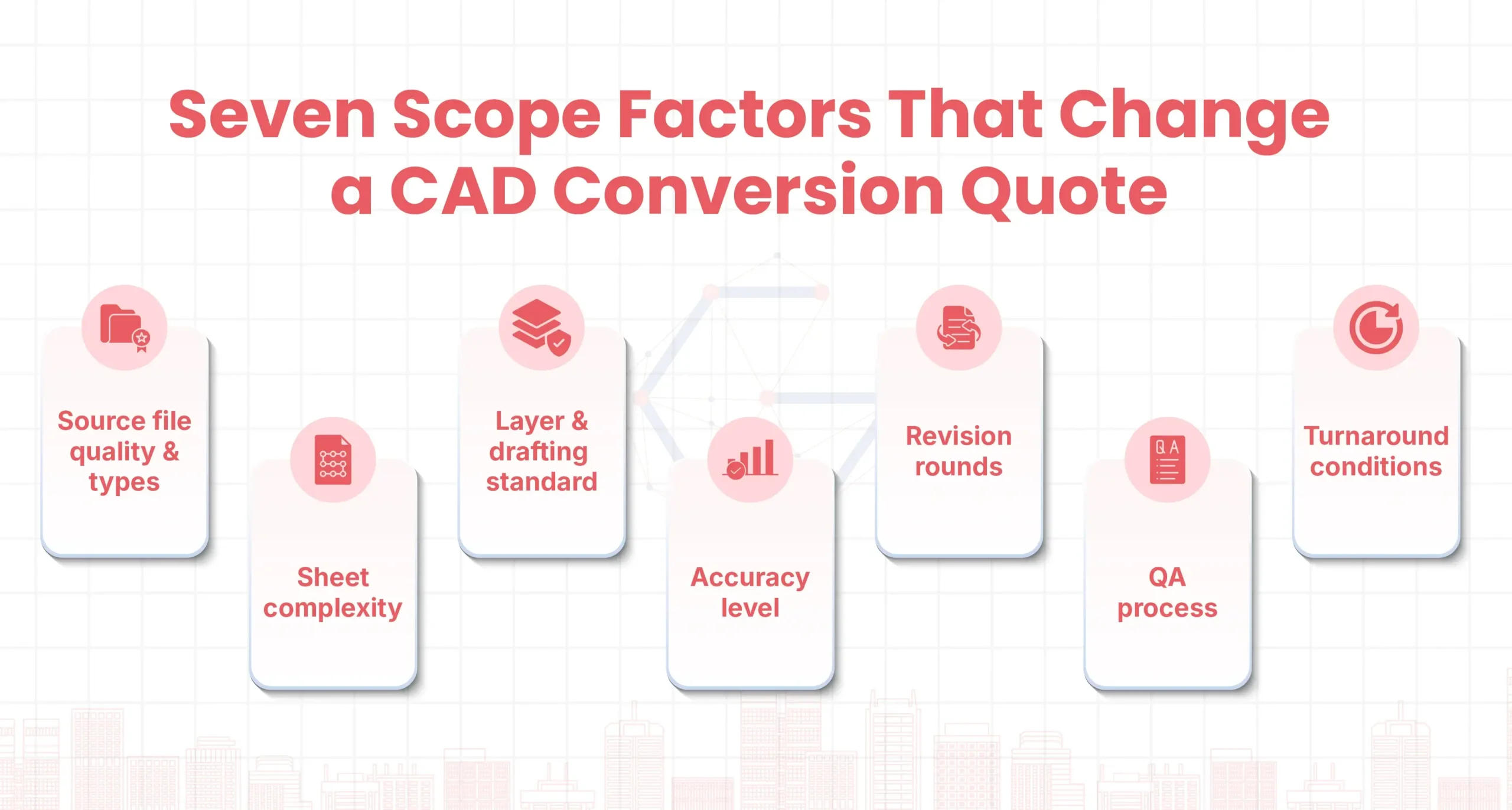
1. Source file quality and types
Vendors price differently based on source quality and types. A quote based on clean, high-resolution, and geometrically accurate sources costs less. For example, vector PDFs generally require less raster reconstruction than scanned PDFs, hand sketches or markups, or phone photos. Explore more about PDF to CAD conversion services.
A vendor who never opened your files assumed a best case: clean, high-resolution scans with legible text. And a fixed price with no condition on input quality can be considered a red flag.
2. Sheet Complexity
A sheet with sparse floor plan geometry and a sheet with dense detail, hatching, and annotation can look identical in a sheet count. However, densely detailed sheets require more time and effort to convert than sheets with simpler geometry and fewer annotations, which can increase the cost.
A flat per-sheet rate can work when sheet complexity is reasonably consistent. For mixed drawing sets, ask whether the price accounts for differences in detailing, annotations, and drafting effort.
3. Layer and drafting standard
CAD files that look right are not the same as the ones your team can work from. A basic quote might just dump all lines onto a single default layer, while a premium drafting matches your company’s specific standards (custom layer names, line weights, colors, font styles, and border and title blocks).
Depending upon layer standards, either you can edit the drawing directly or must rebuild it first. A quote that never names a layer standard is pricing a drawing that looks right or standard but isn’t based on the template you use.
4. Accuracy level
Tracing a scan and redrawing/reconciling are different jobs at different prices. In tracing, conversion is fast but carries the same errors, if any exist, in the input files.
In redrawing, a drafter rebuilds the drawing to your layer standard and reconciles its geometry with the stated dimensions. It costs more upfront but gives you more control over the drawing structure.
A quote that doesn’t define the accuracy level leaves an important scope assumption unresolved.
5. Revision rounds
Revision limits are often overlooked in quotation requests and can become sources of additional cost. A quote with one included round and another with three are not the same scope. Changes you request after delivery are revisions.
Corrections to the vendor’s own drafting errors are not. Rework caused by vendor errors shouldn’t be billed as client revisions.
6. QA process
Quotes that include a dedicated QA phase or multi-stage review with written records are different scopes. A multi-tiered QA process may raise the quote, but it reduces the risk of dimensional errors reaching manufacturing or construction.
7. Turnaround conditions
A fast turnaround often needs a larger team or a higher fee. To hit a tight date, a vendor may also assume clean files, quick answers to its queries, and no surprises along the way.
However, fast turnaround on a quote doesn’t mean discounting queries, revisions, or QA processes.
Want to Compare Scope Before You Compare Prices?
Send us your drawing set, and we’ll review every scope a quote should state for your files.
Quote Comparison Checklist
Use this table to put every quote on the same footing. Fill in one column per vendor, using what each quote or reply actually says. To fill it in:
Write the vendor’s answer, not just yes or no. For example, write “2 rounds included; vendor errors not counted” rather than “Yes.”
If the quote doesn’t say, write “Not stated.”
A “Not stated” cell often means the vendor assumed an answer for you. Unstated assumptions can lead to scope gaps, additional charges, or rework later.
| What to look for? | Quote A | Quote B | Quote C |
|---|---|---|---|
| Source files: vector PDF, scanned PDF, image, or mixed? Priced per type or blended? | – | – | – |
| Sheet complexity: a flat price per sheet or tiered by density? | – | – | – |
| Layer standard: yours, a recognized standard, or their own? | – | – | – |
| Accuracy: trace or redraw? Check against (scan, stated dimensions, field measurements)? | – | – | – |
| Revision: rounds included? What counts as a revision? Are vendor errors excluded? | – | – | – |
| QA: who reviews the file before delivery, against what, and what records (query log or QA report) do you receive? | – | – | – |
Count the “Not stated” cells in each column and write a follow-up message. Remove the questions already answered and send the remaining questions to each vendor. Ask them to clarify their assumptions and revise their quotes if necessary.
What the Quoting Process Tells You About the Vendor
A quote is more than a price. The way a vendor handles quoting often previews how it will run the project. See if the vendors ask questions before quoting, because a quick question costs far less than a mistake found later.
Watch for these signals that suggest a solid process while you collect quotes:
| What the vendor does | What it often suggests |
|---|---|
| Asks to see your files or sample sheets before pricing | The price reflects your actual source quality, not a best case |
| Asks what the drawings will be used for, which points to a deliberate accuracy level (tracing or redrawing) | It helps establish the required accuracy level (reference, editing, renovation, or fabrication) |
| Asks for your layer standard, template, or title block | Your standard will be matched, not replaced by the vendor’s own |
| Flags unclear or unreadable areas in your files and says how they will be handled | Questions are logged and raised, not guessed |
| States its assumptions in writing and what would change the price | Fewer surprise charges later |
| Names who you’ll talk to and how queries are handled | Communication is planned with a dedicated project lead |
Some signals point the other way and deserve a closer look:
- A price with no questions asked
- A single per-sheet number with no stated assumptions
- Vague answers such as “high accuracy” or “we do QA”
- Pressure to sign quickly
- Reluctance to put answers in writing
However, none of these proves a vendor is a poor choice, and a fast quote is not a problem by itself. The concern is a quote with no questions behind it, because it was probably priced on assumptions about your files, not on the files themselves.
Test it. Send the vendor the “Not stated” items from your checklist. Specific answers suggest a clear scope. “We’ll see once we start” suggests open gaps.
Scope First, Then Compare Prices
The price in a quote is the last thing to compare, not the first. The project’s scope, the questions a vendor asks, the assumptions it writes down, and the way it answers your follow-ups say more about the project ahead than the number does. Choose the quote that shows a clear scope and definition, then compare prices.
Ready to Compare on Scope?
Send us your drawing set and the end use. We’ll return a written quote that states our assumptions on source files, layer standard, accuracy level, revisions, QA, and turnaround.
FAQs
Vendors price different scopes, not the same job at different rates. Each one assumes its own answers on source file quality, layer standard, accuracy level, revision rounds, QA, and turnaround. When those assumptions aren’t written down, the quotes can’t be compared on price alone.
The main drivers are source file type and quality, sheet complexity, the layer and drafting standard, the accuracy level, revision rounds and QA, and turnaround. A vector PDF generally takes less effort than a scanned sheet, and a dense sheet takes more time than a sparse one.
No. For reference or archive use, a lighter scope may be enough. The risk is a quote that covers less than your project needs, such as tracing when you need reconciled dimensions. Compare scope first, then price.
Tracing follows the scan as it appears, so it is faster but carries any errors in the source. Redrawing rebuilds the drawing to your CAD standard and reconciles it against the dimensions written on the drawing, or against field measurements if you supply them. It costs more and gives you a more reliable file. A quote that names neither is probably pricing the cheaper one.
There is no universal number. What matters is that the quote states how many rounds are included, what counts as a revision, and how vendor errors are handled. Rework caused by a vendor’s drafting error shouldn’t be billed as a client revision.
It depends on how much your sheets vary. A flat per-sheet price assumes an average sheet, while hour-based pricing follows the effort actually needed.
- Per-sheet pricing can make budgeting easier when sheet complexity and deliverables are well defined.
- Hour-based pricing can accommodate variable complexity and evolving requirements, but the total cost depends on the estimated effort, team productivity, and scope control.
To compare the two, ask each vendor for an estimated total and its assumptions.
Send the source files at the highest resolution you have (vector PDFs where they exist), a sheet index, known dimensions, required output format, the end use and accuracy level you need, your CAD standard or template, available field measurements, your deadline, and representative complex sheets.
Pavan Mulik is the Vice President of Operations at Gsource Technologies and also serves as Account Manager for Structural and Mechanical Design. With extensive expertise in civil engineering, land surveying, and BIM, he excels at managing complex workflows and driving cross-functional collaboration. His strategic approach ensures smooth project execution at any scale. Outside work, he enjoys exploring landscapes and architectural marvels for inspiration.
Read More